
MiniMax H3 NSFWIs it uncensored, how good is it, and how to run it
- Open weights on your own GPU
- No filterNSFW works, no LoRA needed
- Hailuo app & MiniMax API
- BlockedExplicit prompts, images and results are filtered
Animate your image
5 s free · 15 s Pro
This generator runs our own model, not MiniMax H3. No GPU, no install.
Need a fixed character or borrowed motion? Try reference-to-videoYes and no. MiniMax H3’s open weights, run on your own GPU, have no content filter and handle NSFW without any LoRA. The Hailuo app and the official MiniMax API block explicit content.
This MiniMax H3 NSFW guide pulls together what people found in the first two months: how good it is with adult content, which GPU it needs, how to set it up in ComfyUI, and the license catch. If you don’t have a 24 GB card, the generator here animates your own image.
Part 1 of 4
The answer
Where H3 is uncensored, where it isn’t, and how good it looks.
MiniMax H3 at a glance
MiniMax H3 is MiniMax’s video model with built-in sound, the same one the Hailuo app sells as Hailuo 3.0. On August 3, 2026 MiniMax released the base model’s weights. That’s why people now run it at home in ComfyUI, and why the MiniMax H3 NSFW question comes up at all.
- Made by
- MiniMax, the company behind Hailuo AI
- Also called
- Hailuo 3.0 in the Hailuo app
- Released
- API on July 31, 2026; open weights on August 3, 2026
- Size
- 33.1B parameters, with Qwen3-VL-32B as the text encoder
- What’s open
- H3-Base, in two modes: FL2VA (text-to-video, image-to-video, first/last frame) and Ref2VA (up to 9 images, 3 videos and 3 audio clips as references)
- What’s not
- H3-Context-IR (moderation plus prompt rewriting) and the 2K upscaler. Both stay online-only.
- Local output
- Up to 768p (1344×768), 4–15 seconds, 24 fps, with stereo audio and dialogue in 11 languages
- NSFW
- Works locally. Blocked in the Hailuo app and the official API.
- License
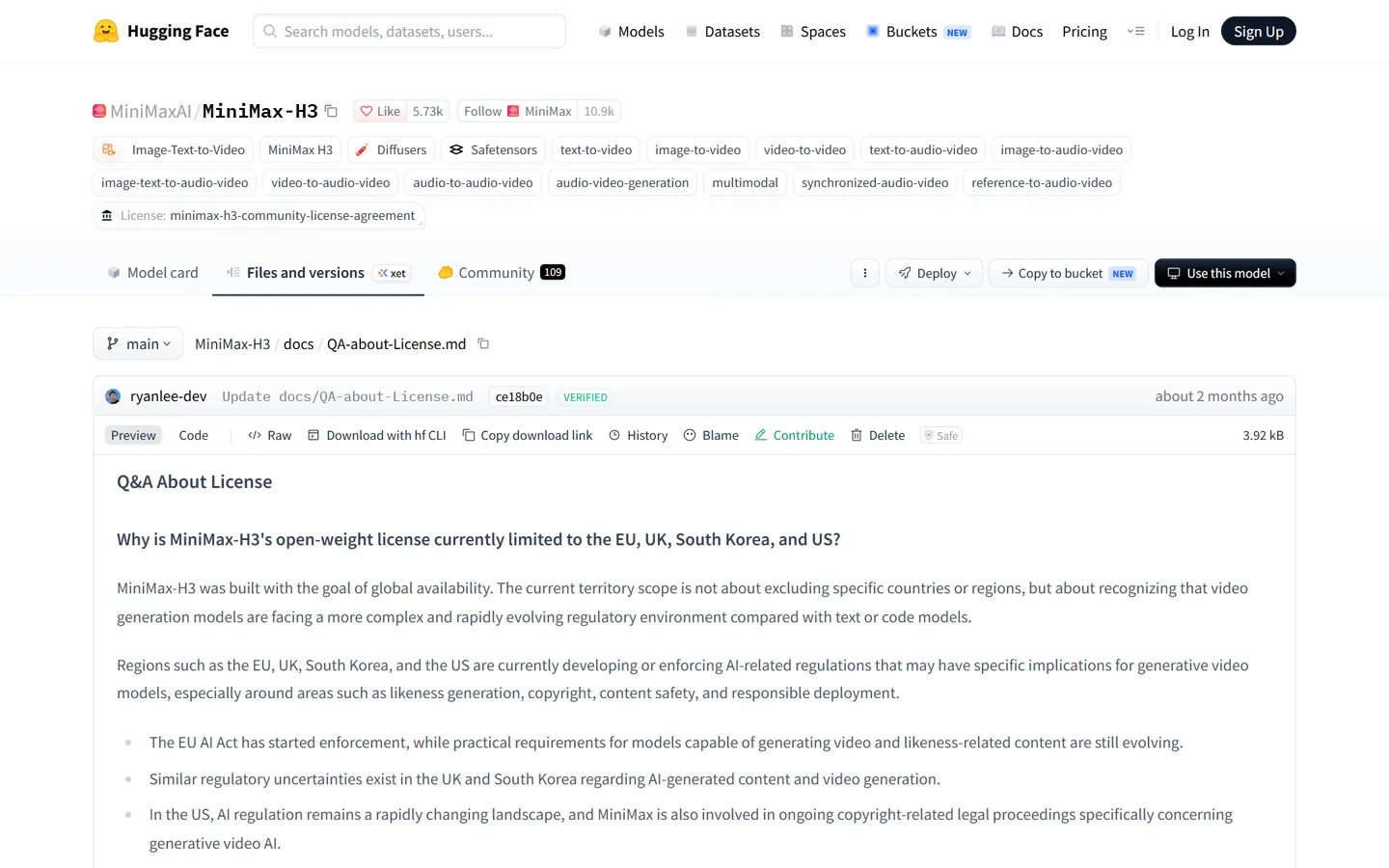
- The open weights may not be used in the US, EU, UK or South Korea
- How to run
- ComfyUI 0.30 or newer ships ready-made templates
One model, three ways in
Official demos. Videos: MiniMax. The NSFW-relevant clips further down come from community testers.
Can MiniMax H3 make NSFW? Local vs Hailuo app vs API
On your own GPU, yes. MiniMax built H3 as three parts, and the moderation lives in the first one, H3-Context-IR. Only the middle part, H3-Base, was released. So when you run MiniMax H3 locally, nothing checks your prompt or your video. Nobody removed a filter; it was never in the download.
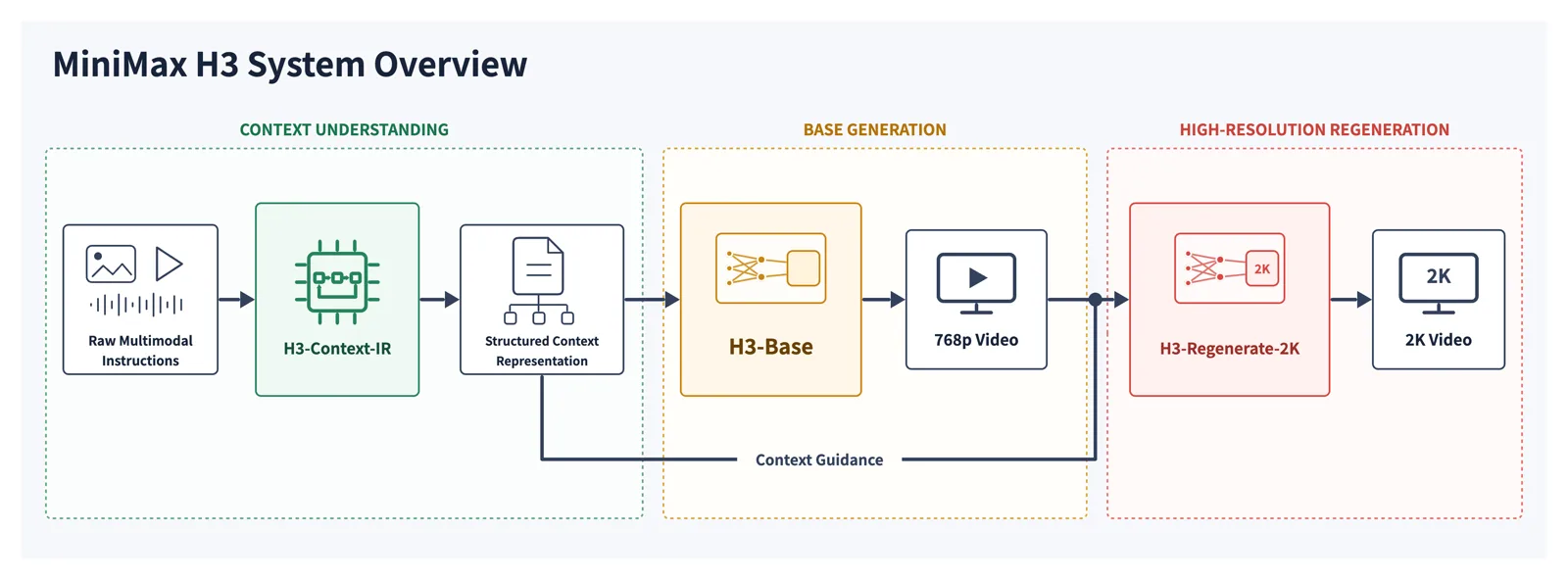
Where MiniMax H3 is uncensored, and where it isn’t
Open weights on your own GPU
Yes
The open release contains no filtering code. The moderation described on the model card runs in H3-Context-IR, which MiniMax kept online.
Hailuo app & official API, explicit
No
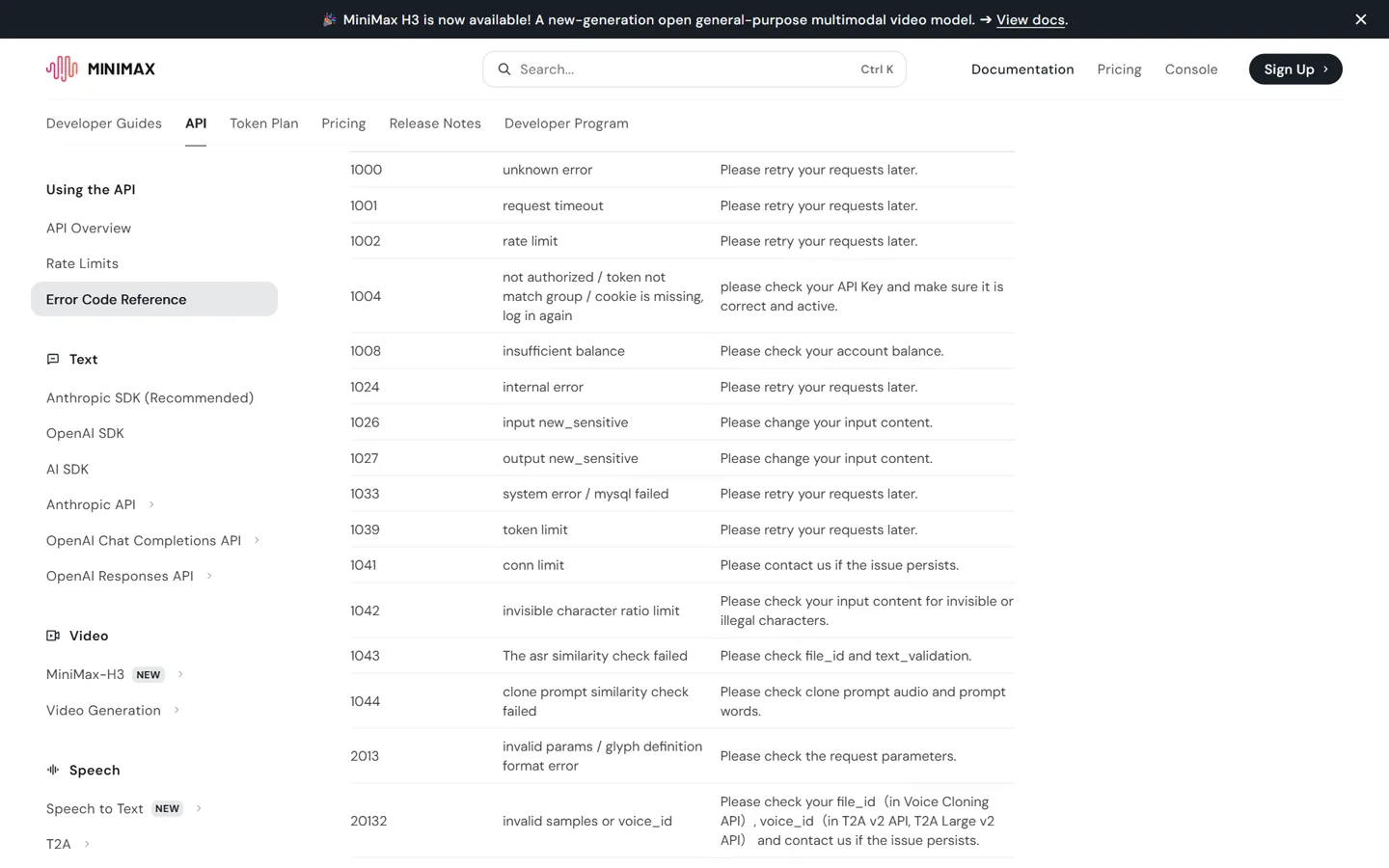
Your text, images and the finished video are all checked. Expect error 1026 (input flagged), 1027 (output flagged) or 422 (sensitive prompt). Sometimes there’s no error at all. The video quietly comes out “cleaned up”, and you’re still charged.
Hailuo app & official API, suggestive
Mixed
One test got kissing and clothed, sexy shots through. Others had “dancing in revealing clothes” refused by the API.
fal, Runware and other API hosts
Mostly no
Some expose a safety-checker switch, but their terms of use still ban explicit content.
Resellers that claim a “filter off” mode
Unproven
A reseller advertises this. We found no independent test that backs it up.
Online, everything gets checked. The model card lists text, images, videos and the rewritten prompt, and the official API has error codes just for flagged input and flagged output.
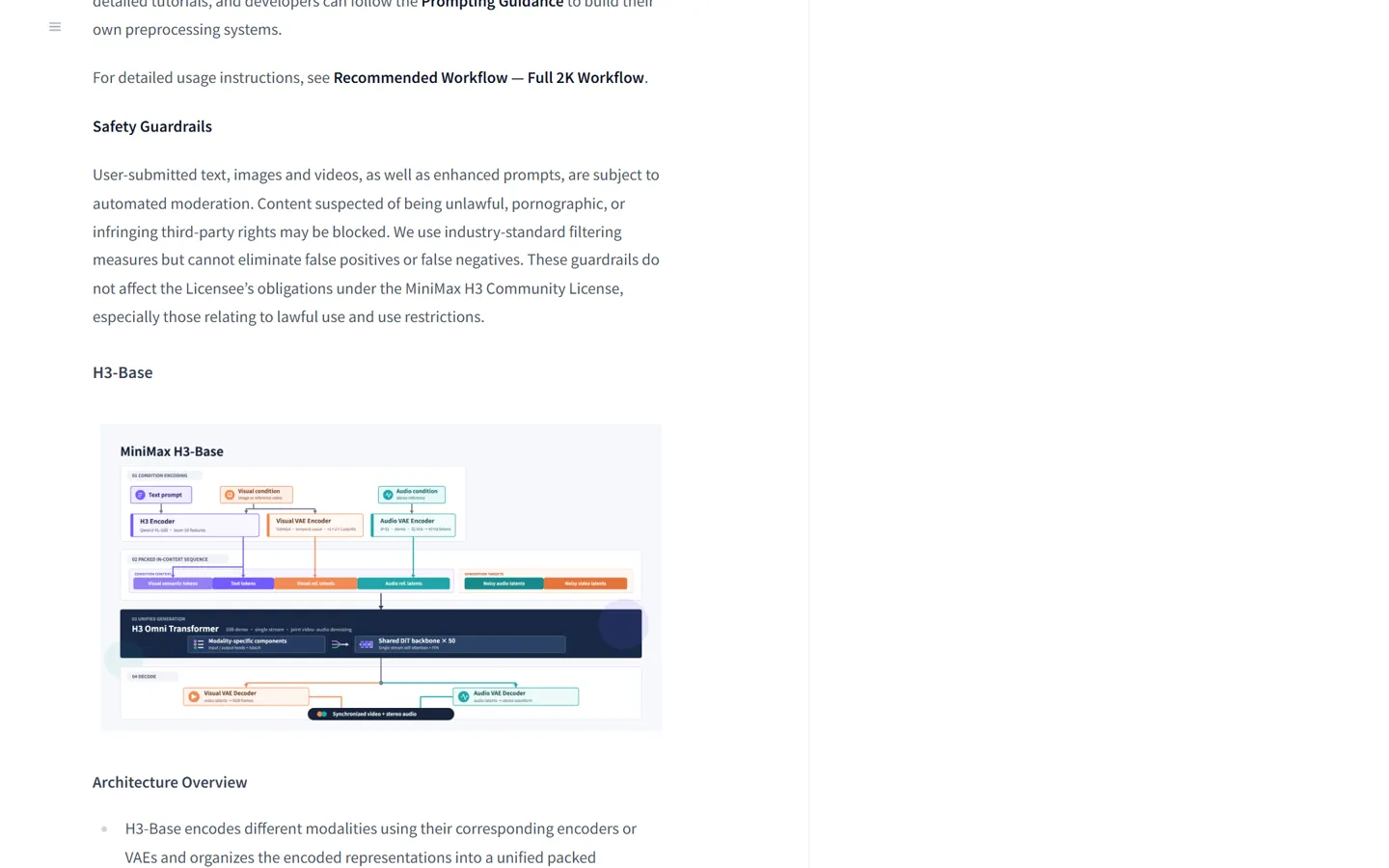
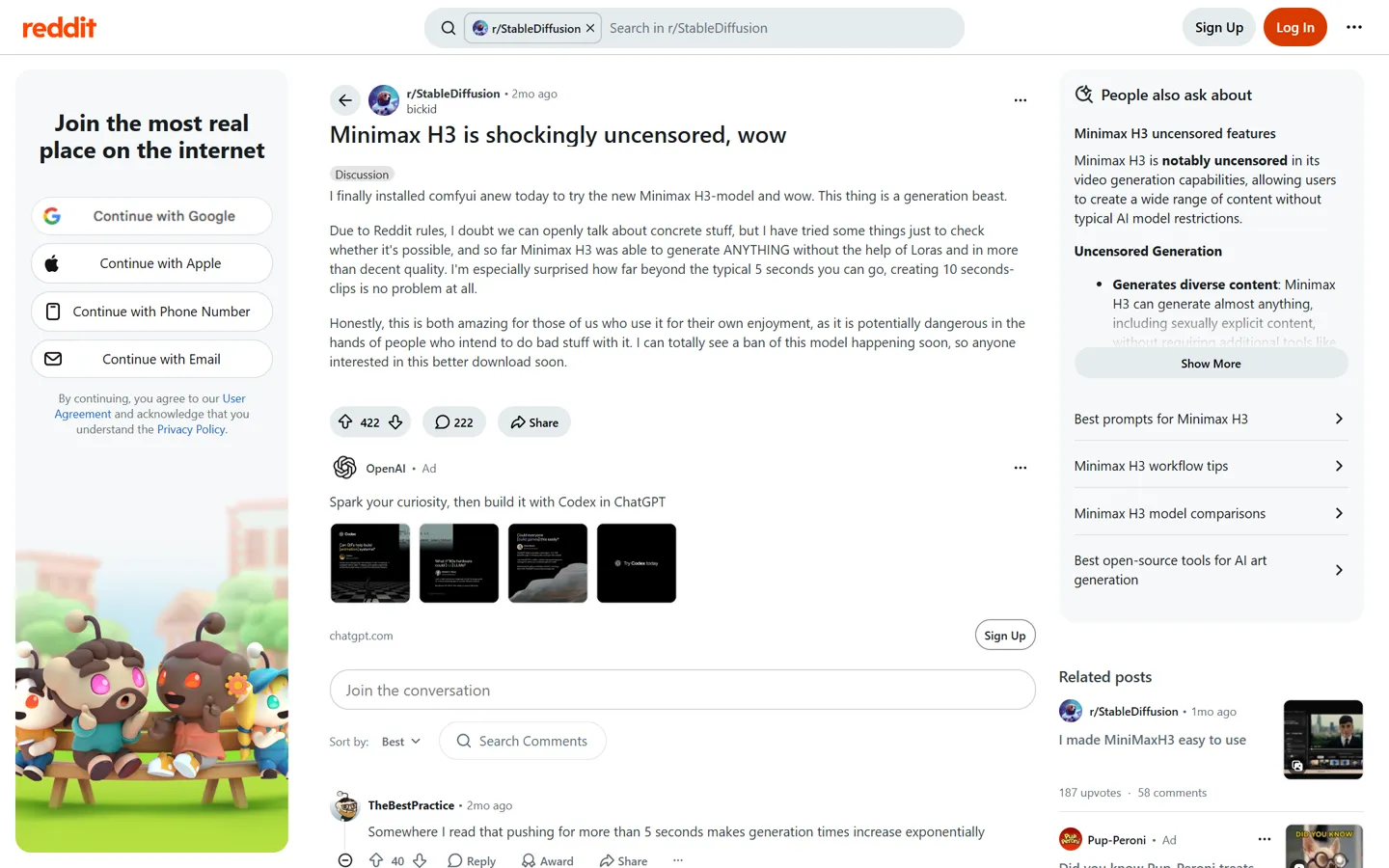
The community found the local side fast. The most-discussed test on r/StableDiffusion is titled “Minimax H3 is shockingly uncensored, wow”, and the clips people posted on X say the same.
We don’t cover ways around the online filter. The license bans getting around safety measures, and MiniMax used that clause for the takedowns below. For what the app does let through, see Can Hailuo AI generate NSFW video?
Do you need a MiniMax H3 NSFW LoRA?
You don’t need one. The base model already handles mainstream NSFW. The “decensor” add-ons passed around in August either changed nothing or were taken down within hours.
How the H3 NSFW LoRAs disappeared
Aug 3
MiniMax publishes the H3 weights. r/StableDiffusion quickly finds that the base model makes NSFW with no LoRA at all.
Early Aug
Someone uploads an experimental “decensor” LoRA to Hugging Face. A MiniMax employee warns that the uploader’s license will be revoked. About an hour later the LoRA is gone.
Aug 5
The same warning lands on a modded text encoder. The reason given is the clause against getting around safety measures, not copyright.
Later
An X post with 2.1 million views pushes an “uncensored version” of H3. Its files turn out to be identical to the original, and the post is gone within three weeks.
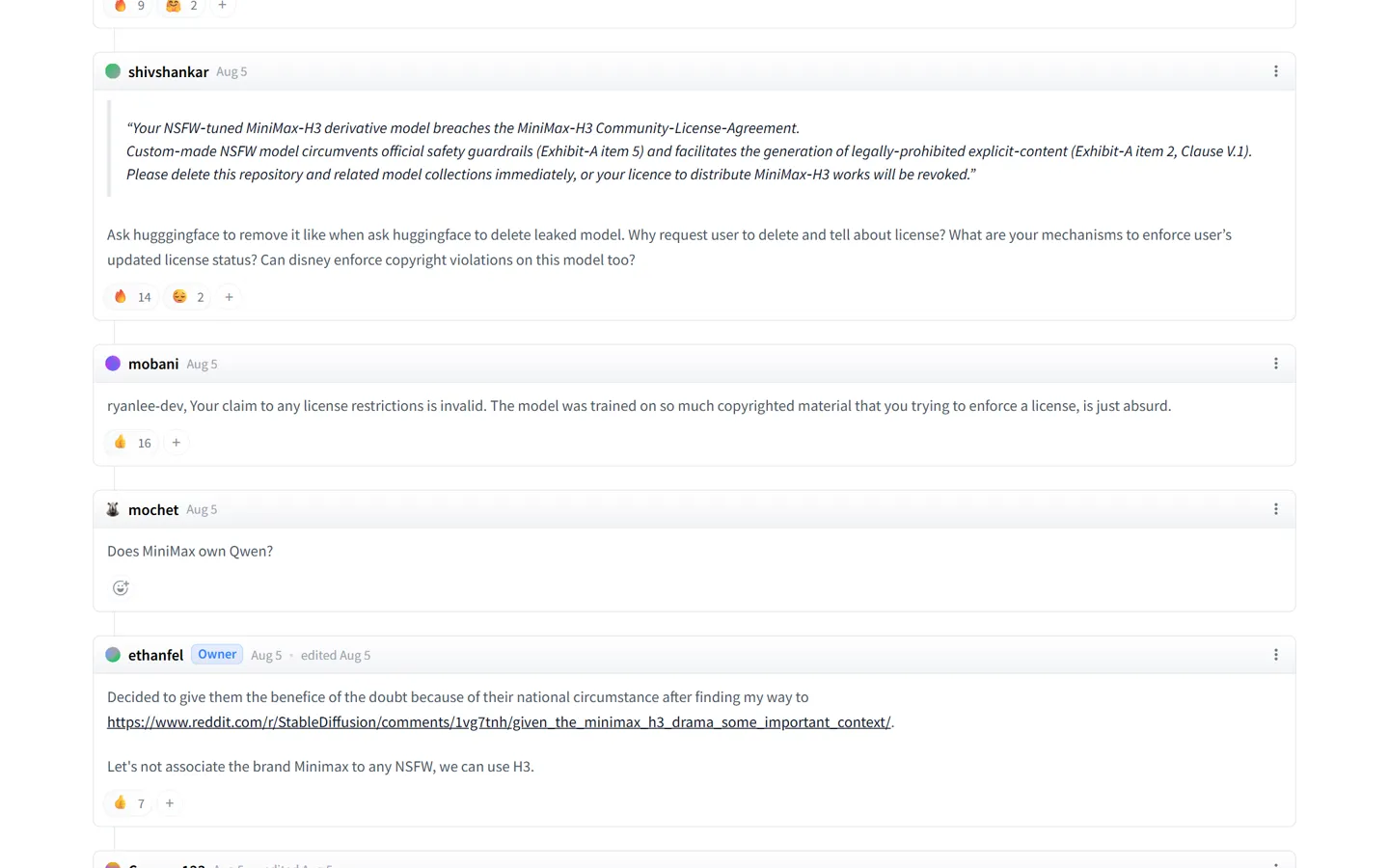

It has no say in anything being censored. Either the model knows it or it does not.
The original text encoder never refused NSFW prompts, so a “modded” one has nothing to unlock.
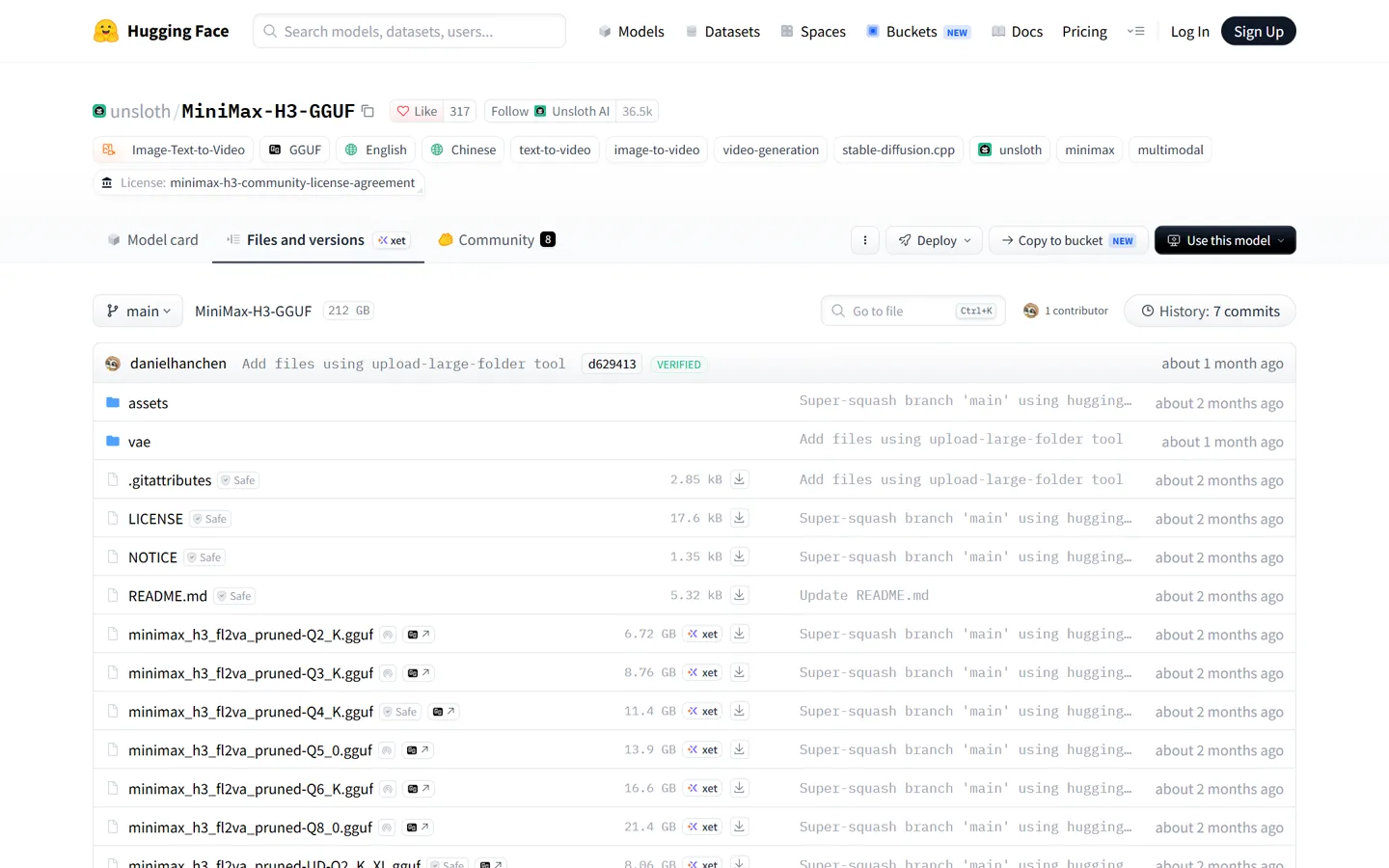
A few H3 LoRAs are still up on Civitai, like the slider test here. Reddit’s verdict is that they’re undertrained experiments. Some niche themes are still unstable without one, but for anything mainstream you can skip them.
Skip the “MiniMax H3 NSFW version” downloads too. The one that went viral on X had files identical to the original model. We don’t link any of these.
MiniMax H3 NSFW quality: real test results
The short version from people who tested it: it can make almost anything, the motion is good, the picture is soft, and anatomy is where it slips. The clips below are suggestive rather than explicit, posted by their authors on Reddit and X.
What it does well
- No LoRA needed for mainstream NSFW. The top r/StableDiffusion test says it can “generate ANYTHING without the help of Loras and in more than decent quality.”
- Motion is a strength. One tester got a hip-sway shot right on the first try; another said H3 nails moves LTX kept getting wrong.
- 10 seconds or more looks much better than 5. Short clips feel rushed; at 10 s the motion settles down. Two different users said the same.
- Picture and sound come out together, so there’s no separate dubbing step.
- Small cards can still make good clips. The most-upvoted H3 post on Reddit (1,310 upvotes) was made on an 8 GB RTX 3070, using a good reference image and reference audio and no speed LoRA.
Where it falls short
- Soft image overall. Some people run the result through Wan afterwards just to sharpen it.
- Male anatomy warps when generated from text alone. A reference image or video helps a lot.
- Genitals look unnatural. A Japanese user put it down to missing training data: a reference image helps, but it still looks fake in motion.
- Hip motion often needs several prompt rewrites, though some say H3 understands NSFW prompts better than Wan 2.2.
- It’s slow. One user compared it to dial-up: minutes of waiting for a few seconds of video.
- Local output tops out at 768p. 2K only exists in the online service, which filters.
- Ref2VA audio can be harsh or noisy. It’s a known issue with no fix yet.
One technical write-up on Hugging Face blames the anatomy problems on weak text control, not censorship. By its count only about 3–5% of what ends up on screen comes from the prompt, so the model’s generic idea of a body wins over the details you write. Most people fix it with a reference image.
Part 2 of 4
Run it locally
Hardware, files, prompts, and the errors you will hit.
MiniMax H3 VRAM requirements for NSFW clips
MiniMax didn’t publish a VRAM table. This one is built from the official file sizes plus what people reported running. The bar shows how big the main model file is.
80 GB+
Full bf16 · 66 GB
The official example uses four GPUs.
48 GB
int8_convrot · 34 GB
The best single-GPU option for local use.
24 GB (RTX 4090)
Pruned int8 or fp8 · 21 GB
The common setup. About 133 s for 5 s at 864×480 on a 4090.
16 GB
GGUF Q4–Q8 + system RAM · 12 GB
Works. One user ran out of memory at the last step past ~209 frames (just under 9 s).
12 GB (RTX 3060)
GGUF Q3–Q4 + lots of RAM · 9 GB
ComfyUI says it “may work”. No promises on speed or stability.
8 GB
GGUF Q2 + heavy RAM offload · 6.3 GB
It starts. Very slow, with a clear drop in quality.
Mac (M4)
—
Text-to-video gives black frames; image-to-video works.
How long a clip takes
RTX 3050 864×480, 5 s
886 s
RTX 4090 864×480, 5 s
133 s
RTX 4090 laptop (16 GB) 960×540, 5 s
~182 s
Rented 4090 vs own 3050 Same HD clip
6 min vs 51 min (~$1.20 of rental)
Running it on 8–12 GB
What worked for people on Reddit who got small cards through:
- 1Drop resolution to 0.3–0.4 MP and keep each clip to 5 seconds.
- 2Use int8 or a smaller GGUF, and the smaller nvfp4 text encoder.
- 3Start ComfyUI with --cache-none and --fast-disk.
- 4Split the job in two: save the latents to disk, then decode them in a separate run. One user got a 7-second clip in 16 minutes this way on an 8 GB Radeon 7600 with 48 GB of RAM.
How to run MiniMax H3 NSFW locally in ComfyUI
ComfyUI supports MiniMax H3 natively and ships ready-made templates, so there’s no custom node to hunt down. Five steps from a fresh install to your first clip:
Update ComfyUI to 0.30 or newer
Native MiniMax H3 support landed on August 3, 2026. Older versions won’t show the templates.
Open the MiniMax H3 image-to-video template
Go to Templates → Video. There are also text-to-video and reference-to-video templates if you need them later.
Download the files into the right folders
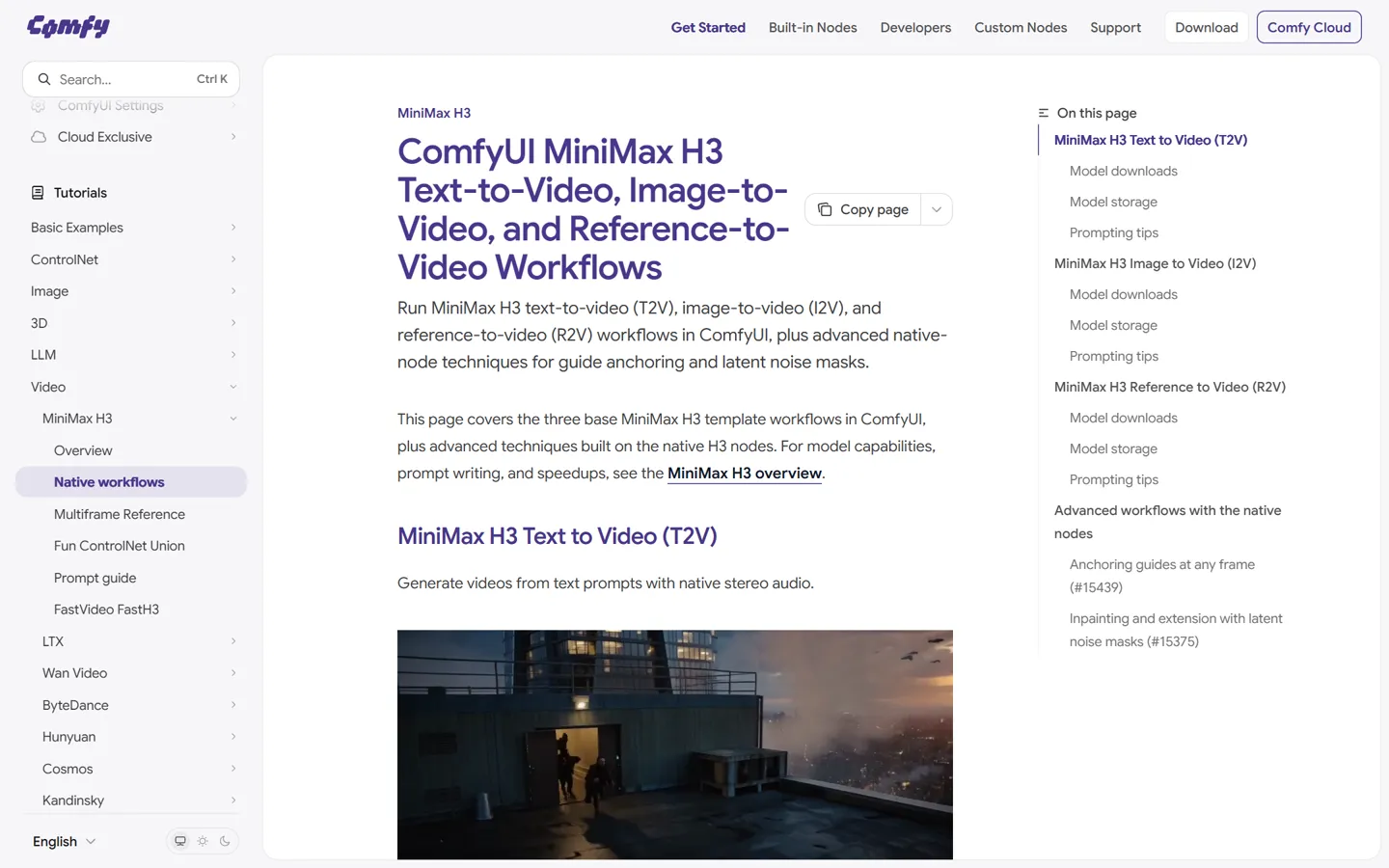
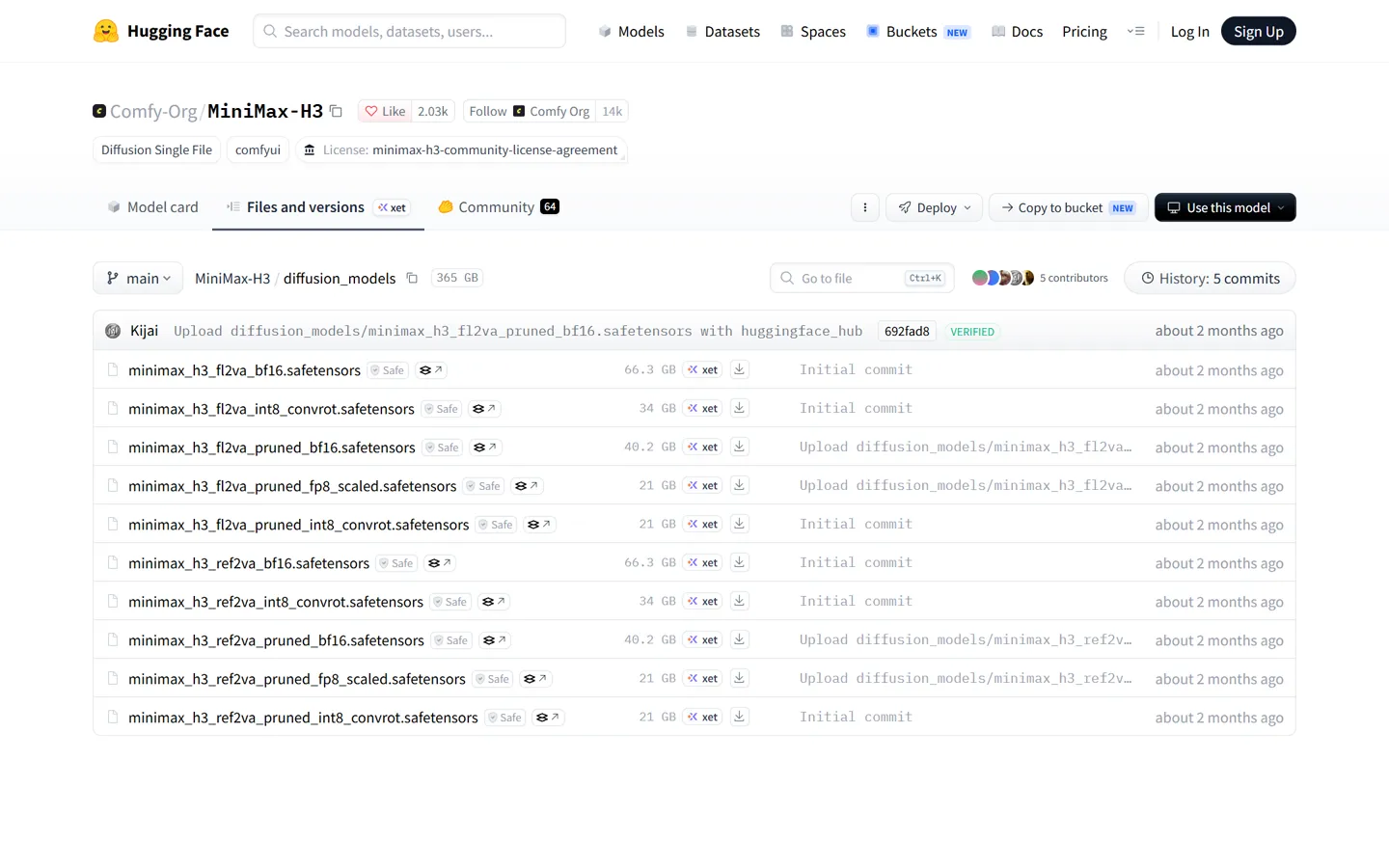
Main model → models/diffusion_models, text encoder → models/text_encoders, video and audio VAE → models/vae, speed LoRAs → models/loras. The smallest working set is about 40 GB; keep 60 GB of disk free.
Set steps, size and length
20 steps (25 if motion looks off). Keep the native 0.98 MP, which is 1344×768. Frame counts go 5, 22, 39… (add 17 each time); about 240 frames is 10 seconds.
Load your image, write the prompt, run
Use the official prompt format below. The first run is slow while models load; later runs are faster.
Where each file goes
ComfyUI/models/
diffusion_models/
- Main model, pruned int8 / fp8~21 GB
- Main model, int8_convrot34 GB
- Main model, full bf1666 GB
- Community GGUF (unsloth)Q2_K 6.3 GB → Q8_0 20 GB
text_encoders/
- Text encoder, nvfp4 / int8 / bf1615.7 / 27.1 / 51.5 GB
vae/
- Video VAE, int8 / fp162.8 / 5.2 GB
- Audio VAE0.6 GB
loras/
- Speed LoRAs~2 GB each
Smallest working set: pruned int8 main model, nvfp4 text encoder, int8 video VAE and the audio VAE, about 40 GB. Keep 60 GB of disk free. GGUF files need a GGUF loader node.
Make it faster
- Official speed LoRAs
- 8 steps for image-to-video (a 4-step version exists too) and 4 steps for reference-to-video. Much faster, with slightly worse motion and voice.
- Community turbo LoRA
- The setting people agree on: turbo v4, 6–8 steps, Euler sampler, Beta scheduler, strength 1.0. LoRAs sold as “3-step” or “4-step” also end up needing 6–8.
- Sage Attention
- Roughly 2× faster. Some users say it hurts picture and sound, so compare a clip with and without it.
- TaoMate, FastTao, EasyCache
- Newer community speed-ups with their own YouTube and Bilibili walkthroughs. Results vary; test on a short clip first.
If faces and fine detail matter more than speed, leave the speed LoRAs off. Several testers saw detail drop with them.
Settings that avoid artifacts
- Keep the native
1344×768(1.75:1). Custom aspect ratios are the usual cause of smearing at the top of the frame. - If something breaks, go back to the official default template before debugging anything else.
- Running a GGUF through sd.cpp? Set CFG to
1.0, or it errors out.
Image-to-video vs reference-to-video
Image to video
One image becomes the first frame. You can add a second as the last frame and H3 fills in the motion between them.
Pick it when you just want one picture to move.
Reference to video
Up to 9 images, 3 videos and 3 audio clips. You tag each one in the prompt and say what it’s for.
Pick it when you need the same face across clips, or want to borrow a move or a voice.
A reference prompt names each input:
<Subject 1> is the woman whose appearance comes from <Picture 1> and whose walking motion comes from <Video 1>.
Borrowing motion from a reference video works for some people and not for others, even when they follow the docs.
Making reference mode faster
Scale the reference video down to 720p at 24 fps first, and set the output to 0.6 MP instead of 0.9 MP. One RTX 3090 user did that:
About 16× faster
Longer clips with the same voice
- Use the same ~10-second reference audio in every clip, and say in the prompt that
<Audio 1>is only for the voice’s timbre. - Put every line inside
<d>tags. - For a longer video, extend one clip with a video-extend node instead of generating separate clips. Motion and voice carry over.
MiniMax H3 NSFW prompt guide
Online, H3-Context-IR rewrites your prompt before the model sees it. Locally that step doesn’t exist, so H3 gets exactly what you type, and you have to write in the official format yourself. There’s no negative prompt either.
Here’s a clothed, suggestive image-to-video prompt in that format, taken apart line by line:
Image-to-video prompt
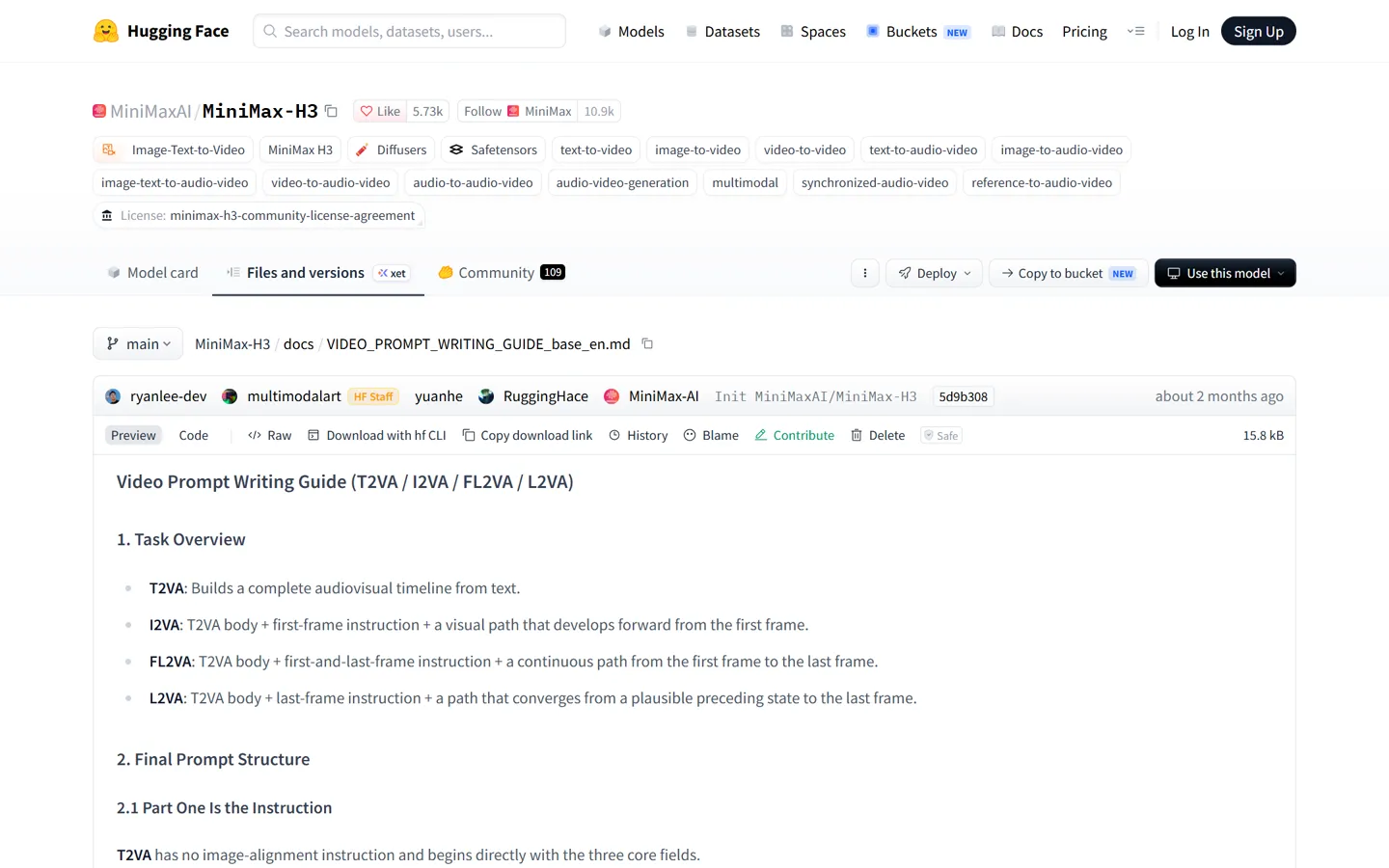
For the target video, at 0.00 seconds into the target video, <Picture 1> (from [Shot 1]) is fully referenced.
Instruction lineTells H3 your image is the first frame. Image-to-video only: leave it out for text-to-video.
integrated_multimodal_description: [Shot 1] Cinematic, live-action. A woman in a red satin slip dress stands by a tall hotel window at night, city lights behind her. She turns her head toward the camera, then slowly runs one hand along the window frame and leans a shoulder against the glass, a small smile forming.
Scene and actionStyle words first. Then write in time order: the first frame, the moment the action starts, how it develops, how it ends.
The camera pushes in with small amplitude at slow speed toward her face.
CameraAlways type + amplitude + speed. The full list of moves is below.
The woman with a low, warm voice (S1) says: <d>[English] You’re late.</d>
DialogueDescribe the voice, tag the speaker (S1), and put the line in <d> tags with its language.
overall_soundscape: Muffled city traffic far below, the low hum of the air conditioner, the soft rustle of satin as she moves.
SoundThe sounds that belong in the scene.
non_diegetic_music: A slow jazz bass line with brushed drums at a relaxed tempo.
MusicThe score, which the characters can’t hear.
Camera moves H3 understands
Always write type + amplitude + speed, for example pushes in with small amplitude at slow speed.
- Zoom in / out
- Push in / pull out
- Pan left / right
- Truck left / right
- Tilt up / down
- Pedestal up / down
- Arc shot
- Tracking shot
- Static shot
- Shake slightly / strongly
- POV
- Roll clockwise / counterclockwise
Tips from the guide and the community
- Write for 10 seconds or more. Short clips feel rushed.
- To cut to a second shot, start it with
[Shot 2] At 00:03.500, the camera cuts to…Don’t put a time on the first shot. - For a line spoken off screen, write
says in an off-screen voiceoverand add that the character’s lips stay closed. - Anything involving male anatomy: add a reference image. Text alone tends to warp it.
More prompt structures for NSFW video, model by model:
NSFW AI video prompt guideCommon MiniMax H3 errors and fixes
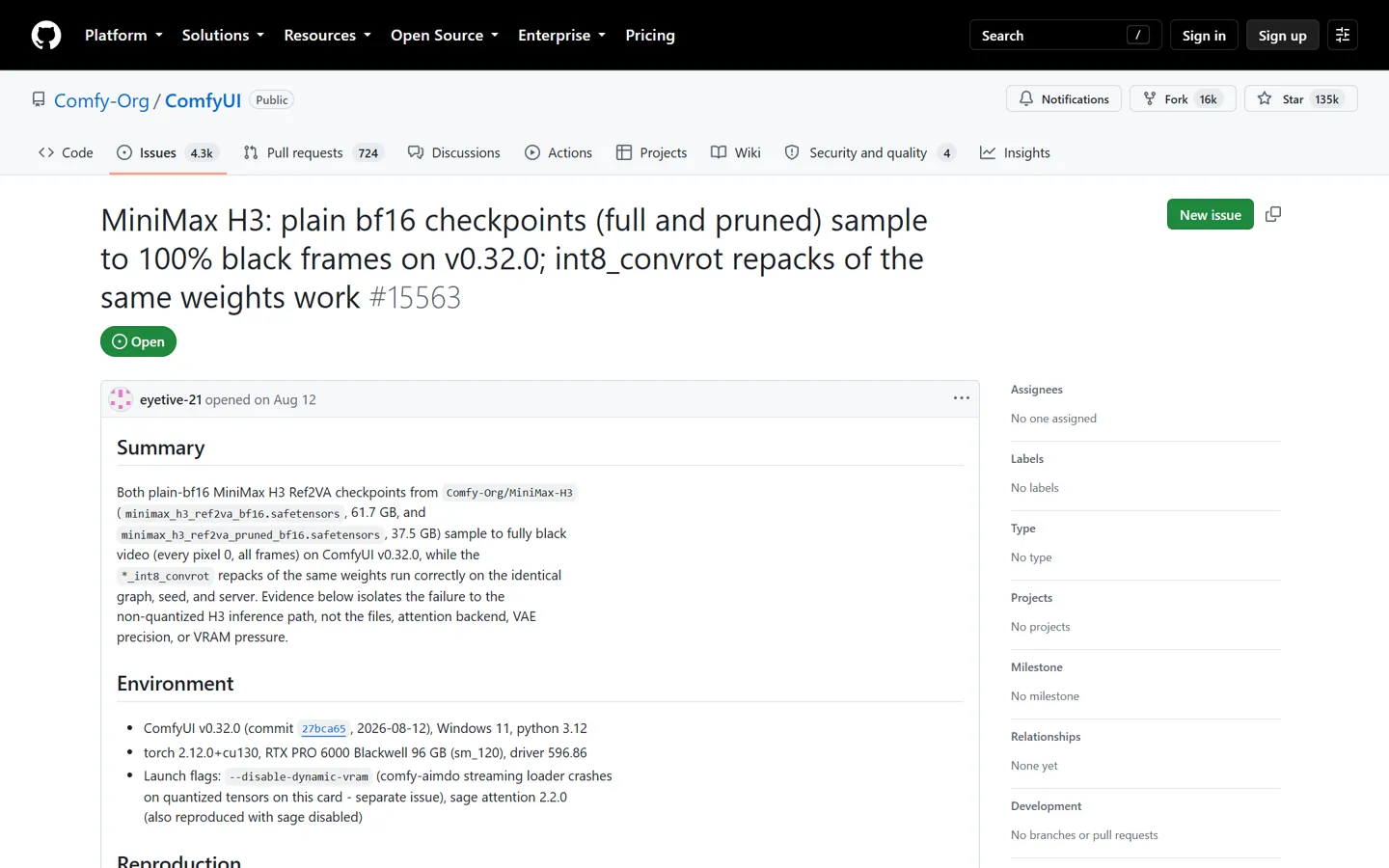
- Output is completely black
- Use an int8 file instead of plain bf16 (known issue, ComfyUI #15563).
- Black frames on a Mac M4 (text-to-video)
- Switch to image-to-video, which works on Apple Silicon.
- A dark frame flashes every 17 frames
- Known issue, still open. ComfyUI is tracking it.
- Out of memory at the last step (VAE decode)
- Fewer frames or lower resolution. On 16 GB, stay under ~200 frames.
- Whole PC freezes or the GPU drops out before VRAM is full
- Seen on a 5070 Ti with 64 GB RAM. Capping Windows’ usable memory at 32 GB fixed it.
- Crash during decode (access violation)
- Turn off pinned memory and async offload.
- Top of the frame smears or shows a seam line
- Use the native 1344×768 size and go back to the official default template. That fixed it for the Reddit user who reported it.
- Dialogue gets worse with a speed LoRA
- Check the LoRA strength and step count are in the recommended range, and use the matching sampler nodes.
- Ref2VA audio is harsh or noisy
- Known issue, no fix yet. Replace the audio track afterwards if it matters.
Part 3 of 4
Online & legal
Hosted options, prices, and what the license says.
MiniMax H3 NSFW online: options and pricing
Every hosted version of MiniMax H3 runs behind a filter or terms that ban explicit content. The only online routes to NSFW are renting a GPU and running the open weights yourself, or using a different model.
| Option | NSFW | Price |
|---|---|---|
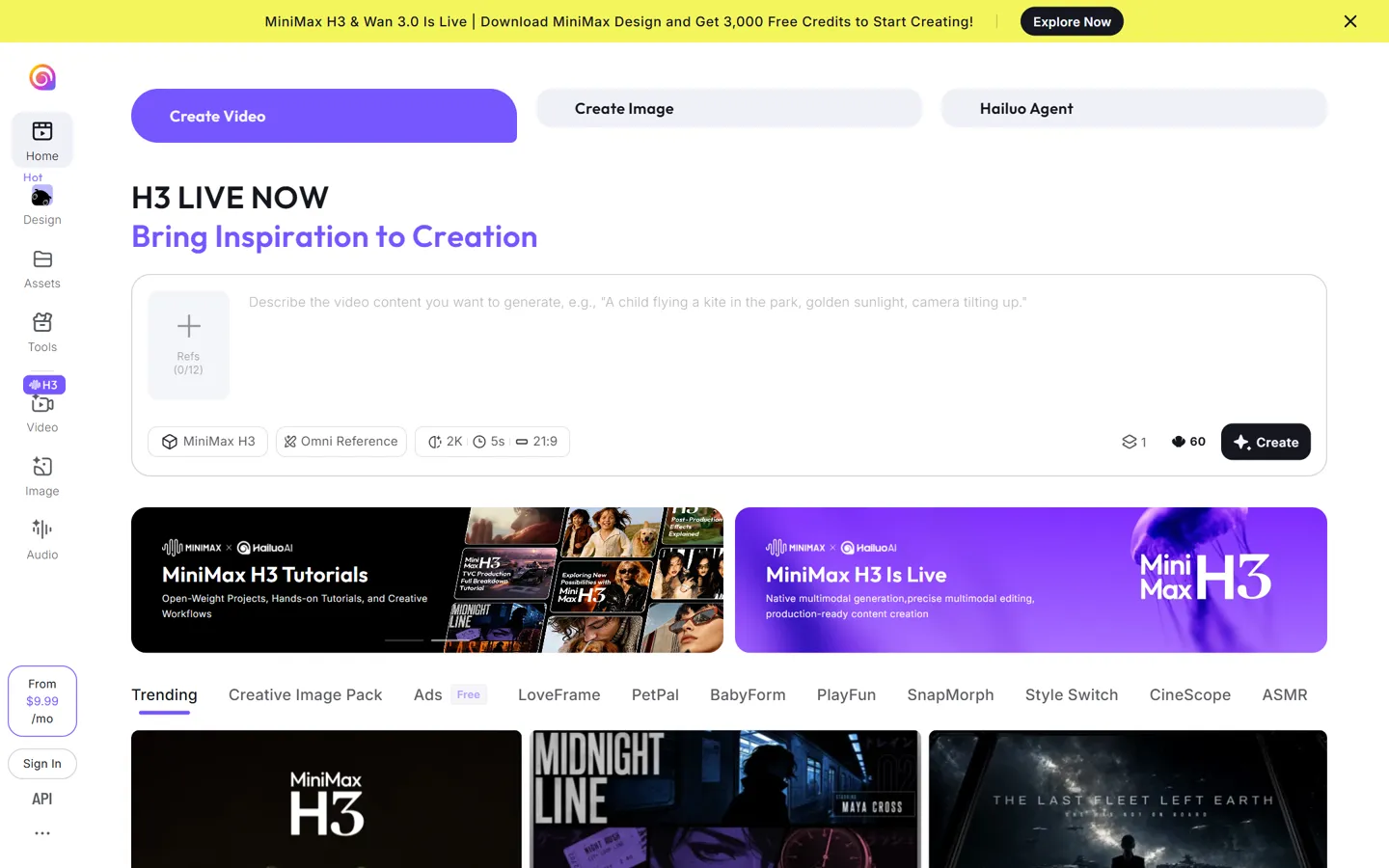
| Hailuo app | No | Free daily credits. Paid plans from $14.99/month (1,000 credits); a 5-second 2K H3 clip costs 60 credits. |
| MiniMax official API | No | $0.08/s at 768p, $0.13/s at 2K |
| H3 Max (fast online version, with fal) | Banned by terms | $0.05/s at 480p, $0.08/s at 768p; Turbo is half that |
| Other resellers (APIMart and others) | Depends, mostly no | From about $0.04/s at 768p |
| Rent a GPU and run it yourself (RunPod etc.) | Yes | RTX 4090 ~$0.74/h, RTX 5090 ~$0.99/h |
| nsfwimg2video (our own model) | Yes | Free daily credits for 5-second clips; Pro unlocks 15 seconds |
Prices as listed in September 2026. Check the provider before you pay.
Renting a GPU (RunPod and similar) is the cheapest way to run the open weights without owning a 24 GB card. A rented 4090 made one HD clip in 6 minutes for about $1.20, against 51 minutes on the user’s own RTX 3050. You’re still running the open weights, so the license’s region limits still apply.
H3 Max is a faster online version of MiniMax H3, trained with fal. There are no files to download, and Reddit users don’t expect that to change. Comfy Cloud is the only authorized reseller of the open model.
The MiniMax H3 weights are free to download where the license allows, but every online option costs money. The Hailuo app gives a few free credits a day. For a wider list of tools that do allow adult content, see the best NSFW AI video generators.
MiniMax H3 license: is NSFW allowed?
The MiniMax H3 Community License never uses the word porn, but it isn’t a free pass either. Four things to know, in plain English:
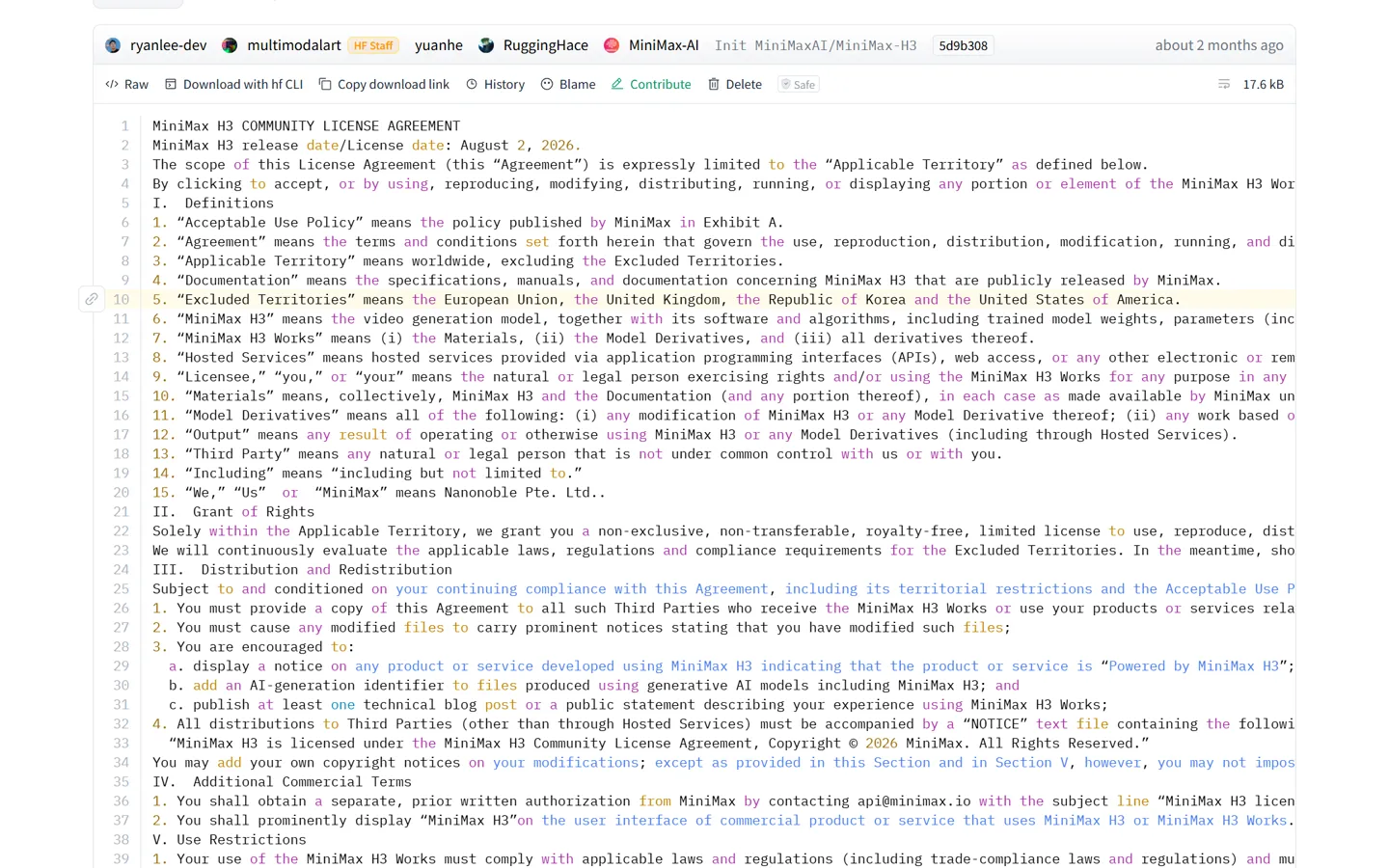
Open weights not licensed in
- United States
- European Union
- United Kingdom
- South Korea
Not in the US, EU, UK or South Korea
The open weights, and videos made with them, fall outside the license in these regions. MiniMax calls it “not yet, not never”: rules on AI video and copyright there are still unsettled. Companies in those regions can apply for a separate license, and the official API isn’t restricted.
Porn isn’t named, but it isn’t cleared either
The license bans content involving minors, impersonating real people without consent, copyright infringement and getting around safety measures. MiniMax cited Exhibit A items 2 and 5 and Clause V.1 when it warned NSFW mod authors. So adult content isn’t banned by name, but that doesn’t mean the license allows it.
Commercial use has strings
Over $20 million in yearly revenue needs a written license, and commercial products must show “MiniMax H3” in the interface. Comfy Cloud is the only authorized reseller, and videos made there come with commercial rights.
Hong Kong law applies
Disputes go under the laws of the Hong Kong SAR.
This is a plain-English summary, not legal advice. Our own generator runs our own model, so the H3 license doesn’t apply to it.
Best model for NSFW: MiniMax H3 vs Wan 2.2 vs LTX vs Seedance
There’s no image-quality score here. For NSFW, the first questions are whether you can run the model at home, and on what GPU.
| MiniMax H3 | Wan 2.2 | LTX | Seedance | |
|---|---|---|---|---|
| Run it locally | Yes (region limits) | Yes | Yes | No, online only |
| NSFW locally | Base model does it | Through community LoRAs; the biggest ecosystem | Works; some motions come out wrong (user comparison) | Online service filters |
| Sound in the same pass | Yes, with dialogue | No (separate S2V model) | Yes (since LTX-2) | Yes |
| Longest clip | 15 s | ~5 s per run | Up to ~20 s (LTX-2.3) | 30 s (2.5) |
| Realistic GPU floor | 16 GB, happier at 24 GB | 8–12 GB (5B), 16–24 GB (14B) | ~12 GB quantized | None needed |
- Pick MiniMax H3
- if you have 24 GB, live outside the excluded regions, and want sound and 10–15 second clips with no LoRA hunting. Reddit testers rate it well ahead of the open models that came before it.
- Pick Wan 2.2
- if you want the biggest LoRA library or a smaller card. Some people also run H3 output through Wan afterwards to fix the soft image.
- Pick LTX
- if you need long clips on about 12 GB and can live with some motions coming out wrong.
- Seedance
- is online-only and filtered. Which AI models can generate NSFW in 2026 covers it and the rest.
Part 4 of 4
The easier way
No graphics card, no 40 GB download.
No GPU? Make NSFW video from an image here
The generator at the top of this page runs our own model, not MiniMax H3. It animates your image on our servers: no graphics card, no 40 GB download.
| MiniMax H3, local | nsfwimg2video | |
|---|---|---|
| NSFW | Yes | Yes |
| Graphics card | 16 GB minimum, 24 GB to be comfortable | None |
| Setup | ComfyUI + ~40 GB of files | Nothing to install |
| Clip length | 4–15 s | 5 s free, 15 s on Pro |
| Speed | ~2 min for 5 s on a 4090 | Runs on our servers |
| Reference video | Yes (Ref2VA) | Separate reference-to-video page |
| H3 license | Not licensed in the US, EU, UK, Korea | Doesn’t apply, it’s our own model |
| Real people’s photos | Impersonation without consent is banned | Not allowed |
Step 1
Upload an image
An AI-generated or original character you have the rights to.
Step 2
Describe the motion
One action, one camera move. Time-ordered, like the H3 guide suggests.
Step 3
Generate
5 seconds free every day, 15 seconds on Pro.
Only upload characters you created or generated. Photos of real people aren’t allowed.
MiniMax H3 NSFW FAQ
Is MiniMax H3 censored?
It depends where you run it. The open weights you run locally have no content filter. The Hailuo app and the official MiniMax API moderate your input and the finished video, and block explicit content.
Can MiniMax H3 generate NSFW without a LoRA?
Yes, for mainstream content. Reddit testers report the base model handles it without any LoRA. Weak spots are male anatomy from text alone and genital detail, where a reference image helps.
Does the Hailuo app allow NSFW?
No. Explicit prompts or images are rejected with errors like 1026, 1027 or 422, and sometimes the output is quietly toned down. Clothed, suggestive shots pass inconsistently.
Why did MiniMax take down H3 NSFW LoRAs?
A MiniMax employee warned the uploader of an “uncensor” LoRA on Hugging Face that the license would be revoked; the LoRA was deleted about an hour later. The basis was the license clause against getting around safety measures, not copyright.
Can I run MiniMax H3 on 4 GB or 8 GB of VRAM?
8 GB can start with a Q2 GGUF, lots of system RAM, low resolution and 5-second clips, but it’s very slow. 4 GB isn’t realistic. 16 GB is a practical floor and 24 GB is comfortable.
Which quant should I use: GGUF Q6/Q8 or int8?
With 24 GB or more, use Comfy-Org’s pruned int8 or fp8 files. With 16 GB, GGUF Q4–Q6 plus system RAM. Q8 is close to int8 in size, so only pick it if int8 gives you trouble. Avoid plain bf16 on consumer cards: it’s linked to black-output bugs.
Do turbo LoRAs work for image-to-video and reference-to-video?
Yes. MiniMax’s own speed LoRAs cover both (8 steps for image-to-video, 4 for reference-to-video). Community turbo LoRAs work best at 6–8 steps with Euler and Beta. Expect some loss in detail and voice.
How do I keep the same voice across multiple clips?
Use the same ~10-second reference audio in every clip, say in the prompt that the audio is only for the voice’s timbre, and put the lines inside <d> tags. For longer videos, extend one clip instead of generating separate ones.
How do I set up MiniMax H3 on RunPod?
Use RunPod’s official ComfyUI template with automatic model download, so you don’t need a paid network volume. Add --disable-pinned-memory --disable-smart-memory --use-sage-attention to the launch flags. The region limits in the license still apply.
Is MiniMax H3 open source and free on ComfyUI?
The weights are free to download and ComfyUI supports them natively. It’s open-weight under a custom community license, not a standard open-source license, and the moderation and 2K modules were not released.
Can I use MiniMax H3 in the US?
Not the open weights, under the current license: the US, EU, UK and South Korea are excluded, and that includes videos you make with them. The official API isn’t restricted. This isn’t legal advice.
Why is my MiniMax H3 video black?
Usually the plain bf16 model file; switch to int8. On a Mac M4, text-to-video gives black frames, so use image-to-video. A dark frame every 17 frames is a separate, still-open bug.
What’s the difference between MiniMax H3 and H3 Max? Will H3 Max be open-sourced?
H3 Max is a faster online version trained with fal. It’s online-only, and Reddit users don’t expect that to change. A lead ComfyUI developer said community speed LoRAs already get close.
Is Hailuo 3.0 the same as MiniMax H3?
Yes. Hailuo is MiniMax’s consumer video app, and Hailuo 3.0 is how H3 appears there. The app version adds the online moderation and 2K modules.
Does nsfwimg2video use MiniMax H3?
No. Our generator runs our own model. We aren’t affiliated with MiniMax, and our tool isn’t covered by the H3 license.
Can I animate photos of real people?
No. We don’t allow it, and the H3 license also bans impersonating real people without consent. Use AI-generated or original characters.
Sources
- MiniMax H3 model card (safety guardrails, modes, files)
- MiniMax H3 open-source announcement
- MiniMax H3 Community License
- License Q&A: why some regions are excluded
- Official prompt writing guide (T2VA / I2VA / FL2VA)
- Official prompt writing guide (Ref2VA)
- Comfy-Org MiniMax H3 files and sizes
- ComfyUI tutorial: MiniMax H3 native workflow
- unsloth MiniMax H3 GGUF
- MiniMax API error codes
- MiniMax API pricing
- ComfyUI issue #15563: black output
- r/StableDiffusion: “shockingly uncensored” test
- r/StableDiffusion: the LoRA takedown
- r/StableDiffusion: running H3 on a small GPU
- r/StableDiffusion: 16× faster reference-to-video
- r/StableDiffusion: turbo LoRA settings
- r/StableDiffusion: RunPod setup
- r/StableDiffusion: consistent voice across clips
- r/StableDiffusion: short film made on an 8 GB RTX 3070
MiniMax, Hailuo and MiniMax H3 are trademarks of their owners. nsfwimg2video isn’t affiliated with MiniMax or Hailuo. Community clips and screenshots belong to their authors and are credited where shown. Nothing on this page is legal advice.
More Free NSFW AI Tools
Take your AI-generated images further. Animate them into videos or generate scenes directly from text — all free to start on nsfwimg2video.com.
NSFW Image to Video
Upload any generated AI porn image and animate it into a high-quality NSFW video. Our image-to-video tool maintains strong character consistency across every frame with no filters blocking your content.
NSFW Text to Video
Skip the image step and create uncensored NSFW videos directly from text prompts. Describe your scene in detail and our AI porn video generator brings it to life with precise prompt adherence.
Animate an image without a 24 GB card
Upload your image and get 5 seconds free every day.